Be prepared to keep working if the power goes out. Learn why you should use an uninterruptible power supply with your computer system.
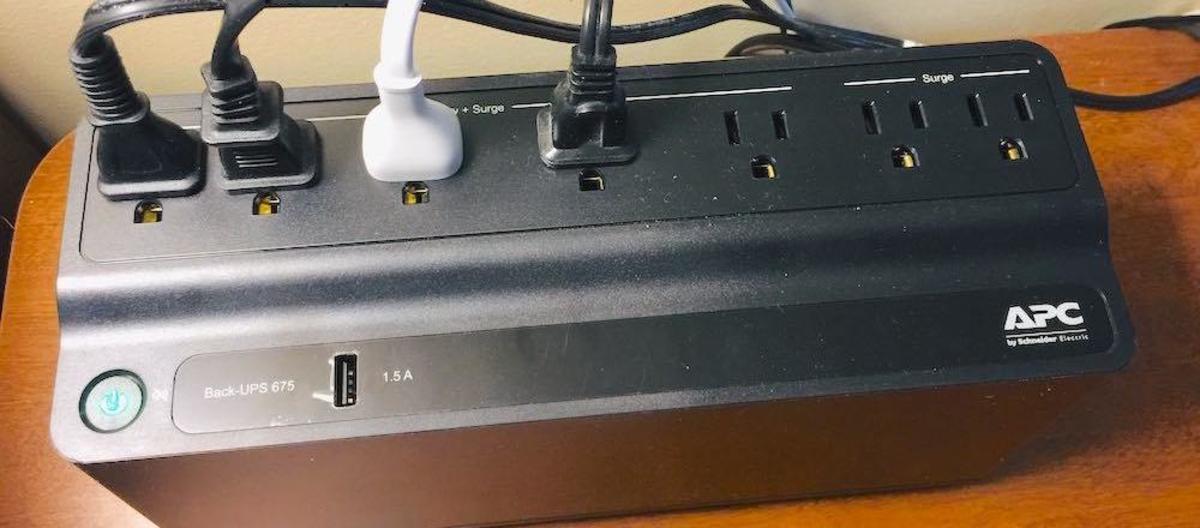
You require uninterrupted electric power if you use your home computer for online shopping, product research, paying bills, writing articles, or staying in touch with friends.
But what if the power goes out?
With a UPS Battery Backup, your equipment and network can remain functional when the power goes out. That will give you time to finish applying your thoughts, save your work, or send that email.
It would be terrible to lose your unsaved data. The work involved in recreating what you lost would be stressful. My UPS Battery Backup protected me several times when I lost power while working on a critical task.
Many people use a surge protector power strip that blocks high-voltage spikes. That protects from damage caused by a lightning storm or someone using high-powered equipment on the same line.
A good surge protector will block damaging voltage spikes. However, it won't provide uninterrupted power to keep working during a power outage. A UPS Battery Backup will protect you from both issues at a price similar to a decent surge protector.
In all the years I've worked with computers, I have always trusted APC for uninterruptible power.
It automatically switches to battery power instantly when you lose electric power.
It also includes surge protection, which is vital to save expensive computer equipment from damage caused by voltage spikes.
APC makes UPS Battery Backup units that handle various power requirements, starting around $80.
I discovered that the low-cost UPS rated at 600 VA and 330 Watts is all you need for a home-based system (computer, monitor, printer, modem, and Wi-Fi router).
You can see the details of this APC UPS Battery Backup  on Amazon.
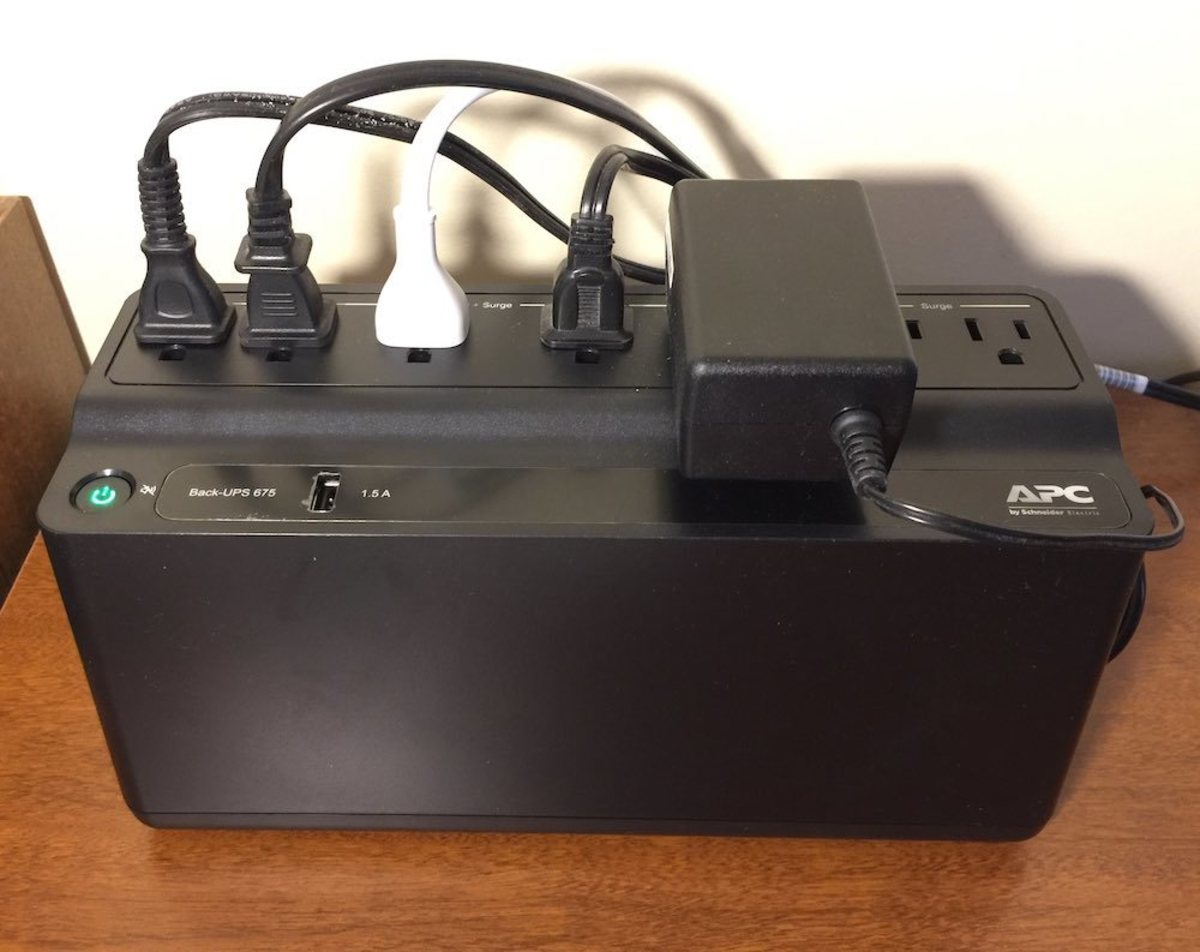
I tested it by pulling the plug. And after 43 minutes of my system being operational, it started beeping its five-minute warning signal.
Let's look at the details of my test.
I have a Mac Mini with an SSD drive. But I also have an external hard drive for my Time Machine backup. So its total wattage is about 10 watts. In the next section, I'll show the watts used by all my components.
The average power draw, in my case, is 105 Watts. I wasn't using my printer during the test, so its idle power draw is only about 5 Watts. An Ink-jet printer will use up to 50 Watts when it’s printing. But you probably won't need it during a power outage anyway.
In any case, the power requirements of your equipment may be different, and your results will vary from mine.
For a better idea using your equiptment, add up the power usage of all your devices with the "Energy Use Calculator" listed in the resource list below this article, and compare it to my results.1
When you consider what you need to plug into it, five outlets are sufficient for most home-based setups. You need all the following items to function during a power failure:
As I mentioned earlier, your power requirements might be different than mine. But I'm sure you don’t have a CRT monitor, as those days are long gone. Monitors today are LED or LCD and draw much less power.
The equipment listed above draws about 105 Watts. Based on my test, 43 minutes is more than enough time to finish what you're doing before the final five-minute warning signal starts beeping.
If you need more time to complete your work, look at model BE850M2 . It provides 850VA at 450 Watts. That gives you 30% more runtime. However, in my opinion, that extra time isn't necessary.
I think 600 VA at 300 Watts is fine for most home-based systems. The model BE600M1 has seven outlets:
I like that three of the outlets are far enough apart so there is room for large transformer plugs.
If you need more outlets for other devices, the model BE850M2 has an extra battery-powered outlet and an additional surge-only outlet. That's nine in total.
It has the same physical design as the unit I use. But do you need nine outlets? What else do you need to plug into it besides the devices I listed in the table above?
With the model BE600M1, I've had my entire system covered with two outlets to spare for any additional devices that only require surge protection.
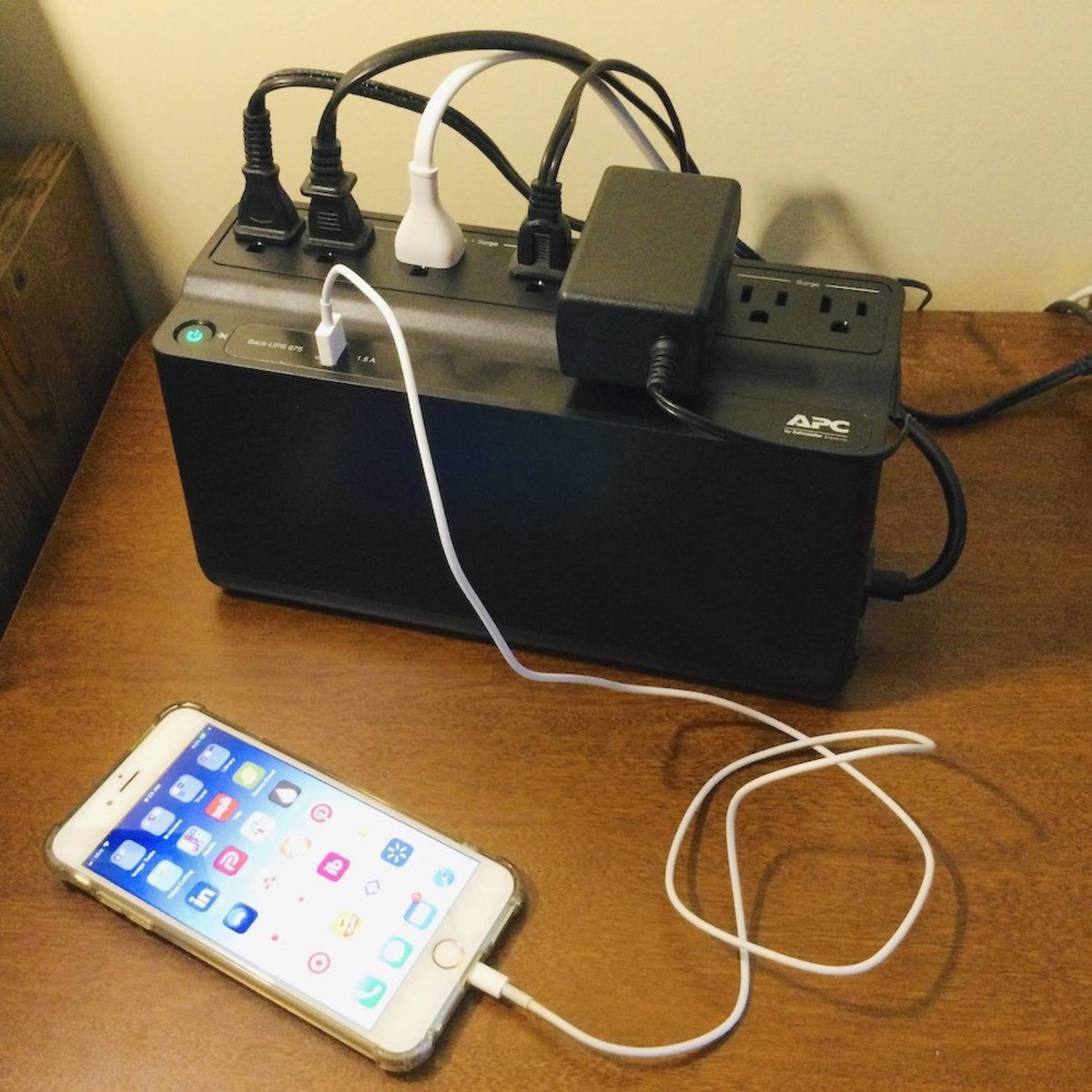
A nice touch is the additional 1.5A USB port for charging your mobile phone or tablet. The BE600M1 has one, and the BE850M2 has two.
That also comes in handy during a lengthy power failure. You can recharge your phone on the unit during a power outage.
When I lose power, my cellphone is my only access to the outside world. So, it's nice to know I can plug it into the USB port on my UPS to charge it.
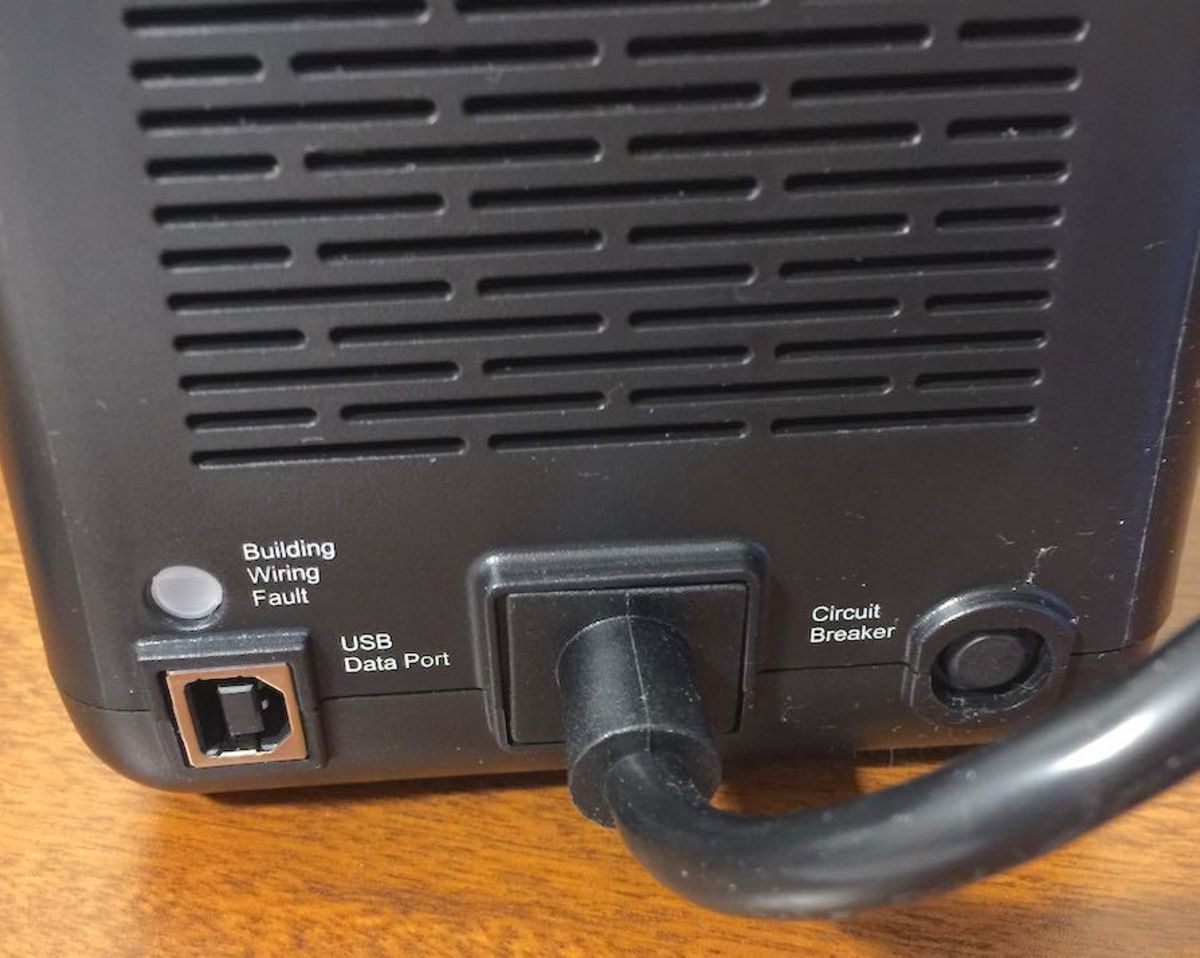
I feel this provision isn’t needed since 30 minutes should be enough time to get things done before the UPS begins beeping its final warning that it's about to shut down.
If you prefer to monitor the battery's condition, APC has a tool for Windows and Mac computers that enables this feature.
Support for Windows Computers:
The APC BE600M1 includes a cable to connect the unit to a USB port on your PC. See the USB Data Port in the image above.
You can download and install their Windows-based PowerChute Software. It monitors the condition of the battery based on the power drawn by your devices.
Support for Apple Mac Computers:
The PowerChute software isn't required for a Mac. Mac OS uses its built-in native "Energy Saver" to interface with any APC brand UPS. I think this is even better.
Support for Mac OS Energy Saver:
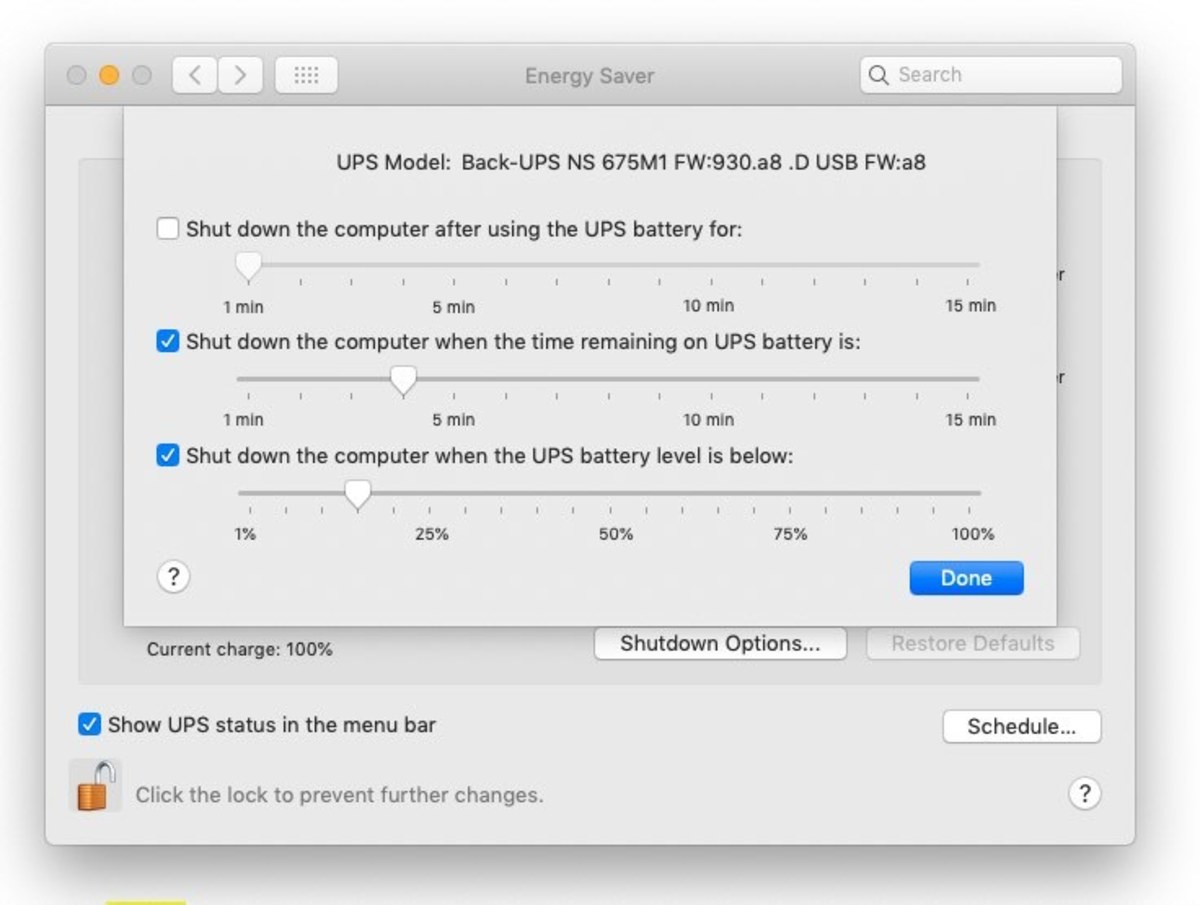
Mac OS X can coordinate shutdown with the UPS. When I connected the data cable that came with the UPS to a USB port on my Mac, I noticed it immediately recognized the unit and displayed the Energy Saver icon in the menu bar.
When you click that icon, the Energy Saver Settings menu appears with the Shutdown Options shown below.
Question:
How long does it take to recharge after a power failure?
Answer:
If fully discharged, I found it fully recharges in under 10 hours when the power comes back on.
Question:
Is the warning beep continuous during a power failure?
Answer:
The UPS does not warn you with a sound when it switches to battery mode. Only the power light begins to flash. However, it starts to give double beeps every 30 seconds when only a few minutes of power remain.
Question:
How long will it power my entire system?
Answer:
That all depends on the drain from your attached devices. APC specs indicate 23 minutes for 100 watts constant drain. They probably err on the side of caution.
Based on my configuration, it lasted 43 minutes, as I mentioned above in "Results of My Power Consumption Runtime Test."
Question:
How long will it power the modem and router so I can continue working with my tablet on Wi-Fi?
Answer:
That is one advantage of using a UPS. I tried leaving my computer and monitor turned off, so only my modem and router were active. My Wi-Fi was still functioning after four hours.
Question:
Is it safe to plug a printer into the battery backup outlet? I've heard conflicting views on this.
Answer:
According to APC support staff, the issue only applies to laser printers. It will overload the UPS during a power outage if it goes through its laser warm-up phase.
I have my ink-jet printer on a battery backup outlet, and I never had trouble.
In any case, I wouldn't advise printing lengthy documents during a power outage. That will draw more power and shorten the available battery time.
Was this meaningful to you? Tap